Showing posts with label technology. Show all posts

Friday, July 8, 2011

Google Plus

You may not have heard yet about Google Plus (Google+) but it sure has been generating a buzz on the tech scene recently. Google+ is a new service (by Google) now in beta testing -  a social service with a fair number of similarities to Facebook and twitter, but also with some unique and powerful functionality. You can check out a demo of it, or read a good review on Google+. I'll describe some of the top features here and a few first impressions (I was lucky to catch the brief window of opportunity to join last night as Google opened the doors following the Facebook video chat announcement.)
  • Circles
Circles allows you to place people you interact with into groups such as friends, family, coworkers, or just people you want to follow. Whenever you share anything - a post, a picture, a link - you get to choose exactly who gets to see it. It's a much nicer and more intuitive security/privacy model than Facebook.
  • Hangouts
This is the most unique and fun feature I see in Google+. A "Hangout" is a group video chat that can be made known to the Circle of friends you specify. Up to ten people can chat, and you see everyone's face - and the person currently speaking gets the main/big window. Very slick.
  • Huddle
The "Huddle" feature is group text chat. Think of a series of text messages, but between whatever circle of friends you want, not just two people. It's the perfect way to decide where to meet for lunch or which movie to see. This should work extremely well on mobile devices like Android phones or iPhones.
  • Photo Sharing via Picassa
People who use Picassa will be happy to hear that Google+ users have their limit raised from like 1GB to unlimited. Android users have a great benefit called "Instant Uploading." Every picture or video taken can (by your choice) be uploaded automatically to your Google+ account. Once there, you get to decide who to share it with (which Circles or individuals).
  • Sparks
This is a way to keep up with news in whatever area(s) of interest you choose.

My Initial Impressions using Google+

- Very well done! I like the interface, very intuitive, excellent feature set.
- Circles and how they are used to share in streams seem to be done to perfection
- Hangouts is the standout in terms of innovation
- Huddles, when available on the iPhone, will be a useful tool. It also seems like a pretty cool way for participants to join in the conversation at an event or seminar. Maybe useful for online meetings or group discussions (for those w/o webcams or desire to Hangout).
- Totally underwhelmed by Sparks. It's just not how I want to keep up with information on a given topic. I would rather find the best pages on a topic and follow them via RSS

Biggest fear -- many friends are already saturated in Facebook, spending too much time there following what is going on. If they try to do this in both Facebook AND Google+, I don't see how they (we? I?) will have any kind of life left!!  If they switch, I'll have half of friends on FB and half in G+; that's definitely not optimal. Let's hope there are integration tools to help address that issue.

One last tidbit - this video clip might clarify how Hangouts work...


Do any of you have any impressions about your experience with Google+, or any questions?

Friday, May 27, 2011

Public service announcement on cooking pork

I read this over at 22 words and just had to pass it along...

The USDA has changed its stance on how to cook pork, and now asserting that it's ok if pork is a bit pink. More specifically, 145 degrees for whole meats including pork steaks, roasts and chops. (Why is this? The main risk for pork was the parasite trichinosis, but that really hasn't been seen since the 1950's.)

The Huffington post has another article confirming the change and hailing the new guidelines, as they note the old ones were "waaaay out of date and universally ignored by Chefs and skilled cooks."

What about chicken you ask? Great question! The safe temperature for cooking chicken remains the same, 165 degrees F, due to the very real threat of salmonella which is common in commercial chicken. Good hygiene and proper temperatures are important for handling and cooking poultry.

Ground beef and ground meets other than pork should still be cooked fairly well, up to 160F. Even if you love rare steak, there's really no advantage to getting all red inside your burger.

Beef steaks still have a 'recommended' temp of 145F (due to threat of E.Coli), but steakhouses would go out of business going more than 130-135F when the customer requests it rare-medium rare. Why do people cook it at lower temperatures without problem? Well, the harmful bacteria tend to be on the outside, and the searing of the steak over 300 degrees instantly kills them. Note! This is why if you cook medium rare steaks you should not poke holes in with a fork! You'll push any contaminants to the inside which will not reach sufficient temperature to kill them.

Thought you might like to know :)

Tuesday, March 29, 2011

Take Me to The Cloud (The Amazon Cloud)

Amazon recently introduced a new service called the Amazon Cloud Drive. It provides 5 GB of free storage, secure access from any computer connected to the web. It can be used to store documents, music, photos, videos. There's even a Cloud Player you can you to stream/play your music (and an Android app as well). Did I mention it's free?! All you need is an amazon account. If you need more space, it's $20/year for 20 GB. (There's also a promotion right now - buy a MP3 album and get 20 GB free storage for one year.)

The interface is not the best, and it's awkward to manipulate a large number of files right now, but for a smaller number of large files it's great.

Check out the Amazon Cloud Drive

Note: If you don't already use Dropbox, definitely check that out. It's got automatic folder sync, encrypts the files on the server, and has great app support. It's just 2 GB but it's my favorite online storage solution. I'll use Cloud Drive for music bought on Amazon and for occasional very large files.

Tuesday, August 31, 2010

Review - Kindle 3 First Impressions

After what seems like months, a new Graphite 6" Wifi Kindle 3 arrived at my door last week. As an avid book reader I've considered a Kindle since the first model, but the time (and price) never seemed quite right. With the announcement of the next generation model at just $139 for a Wifi model, the wait was over, and I pre-ordered it the day it was announced.


The latest generation Kindle is a marvelous device that really sets a new standard in electronic reading devices. The improvements seen in the new model at a price of just $139 for the wi-fi version make this a remarkable bargain. I've read Kindle books on the iPhone, iPad and PC but have held off until now on a dedicated e-reader due to the price. With the arrival of the Kindle this afternoon, I'm very glad I waited for this third generation. The details have been reviewed and discussed in great detail, but I'll highlight what I've seen already that make this such a great unit.


  • Setup including secure Wifi access was incredibly simple 
  • The new high-contrast e-Ink screen is really great for reading. I had seen this mentioned in reviews, but the difference between the dedicated e-Ink screen and LCD screens like on the iPad is night and day. 
  • The page turn speed is much better than in earlier models of the Kindle. After seeing a first generation Kindle of a friend I thought I would never get a Kindle. As a fast reader, the delay and flicker in earlier models was terrible. While not completely gone, it's no longer a deal-breaker. The combination of the e-Ink screen with the graphite case really does improve the contrast and readability tremendously. 
  • New fonts - having choice over serif or sans serif and the ability to use a compressed font is great. Even better is the ability to adjust the line-spacing so you have much more control over how much text is present on a page. For a 6" unit this is so important. 
  • Text-to-speech - this worked surprisingly well, with the option to speed up or slow down the voice, or choose a male or female voice, was very nice. You can pause/restart speech with a tap of the space bar. 
  • Smaller design. While the screen size is identical to the Kindle 2, it's about a half-inch less all around or 21% less area. It's really small, portable, and crazy-thin, while having a lot more reading area than the iPhone. I almost went with the DX model out of fear it would not be much better than reading on my phone, but after reading a whole book tonight, it was far superior. 
  • PDF support is greatly improved - another reason I'm glad I waited for this new model. With Kindle books there is also instant word look-up via included dictionary, tightly integrated. (I still prefer a larger screen like the iPad for PDF's)
  • Social network support - not a big deal for some, but the ability to select a sentence or two and instantly send them plus a comment to Twitter or Facebook is pretty handy. 
  • Battery life looks to be superb; download speeds over wi-fi are great; it has ability to play MP3s, even in the background while reading; and it even has a built-in web browser (not wonderful, but nice to have in a pinch). 

Below is a side-by-side comparison of the Apple iPad, the Amazon Kindle 3, and the Apple iPhone. The iPad screen size is much larger than the Kindle 3 (but is very similar to the Kindle DX model). The Kindle screen may not seem significantly larger than the iPhone, but it's much easier to read and covers a lot more text on a given page. Battery lives are 10 hours with iPhone/iPad but up to one month with the Kindle. The latter works great in bright light and direct sunlight, but not in the dark. The iPad is the opposite. The iPad excels at PDFs and for night reading. The Kindle is far better for extended reading.


How do these compare with a laptop? Here's a picture of the same devices alongside a MacBook Pro. That's a 15" laptop by the way, not the 17" boat anchor!


If you're an avid reader who has stayed away from the Kindle for reasons of price, screen quality, size, or page turn speed, stay away no more! The new Kindle, especially the Graphite Wifi model, is a great unit. It also comes in classic White, and there is a 3G model for $189, if you need to be able to download new books anywhere-anytime, or if you don't have a smart phone and would like something with light web browsing capability.


As an added bonus, you can install free Kindle reading software on your PC, Mac, iPhone/iPad or Android, and read any Kindle books you buy on other devices - whether you have an actual Kindle device or not. I had bought several Kindle books and read them on the iPad before getting my Kindle. With the iPhone I have always-with-me access, the iPad is great for late night reading or color books, and the Kindle is great for extended or outdoors reading.

If you're a Kindle book fan, be sure to follow the Kindle Review blog / web site which highlights discounted books and limited time offers of free Kindle books.


I have to give a shout out and huge thanks to the Going To Seminary website which sponsored a contest for seminary students with a new Kindle as the prize. I was one of the lucky winners, and wrote three articles on Maximizing your Learning Experience, Life Doesn't Get Easier, and Getting It All Done. The timing was perfect, as the next generation model came out just as the awards were being made. Alas, classes are almost over for me at Rockbridge Seminary... maybe I'll need to enroll again after I finish for another degree?!  :)

So... what are you reading, and how?

Tuesday, June 22, 2010

Google Voice now available

Google Voice has left limited beta and is now available to the public. What is Google Voice? It's a free service that gives you a number with a ton of great features. It can ring multiple phone numbers (home, mobile's) when someone calls - filters for blocking or redirecting calls, ability to listen in on messages as they're being left on your cell phone, voice mail transcribed and sent to you via email, texting via the web, different greetings for different people, and more. You can use your existing number, or more likely, choose a new phone number. Been hanging on to a land line but wanted to have some backup to your cell? This might be for you. There's even a mobile app for Blackberry and Android phones (Safari page for iPhone use). Google has a page with video clips describing the features, or watch the overview below...

Saturday, May 15, 2010

Review - My MacBook

No, I'm not reviewing a new MacBook Pro (today), I'm taking a look at "My MacBook", a book by John Ray published by Que. It's an excellent visual guide to the latest Snow Leopard based MacBook computers from Apple. It's got step-by-step instructions on a great variety of tasks that anyone might want to do on the Mac, covered in 12 chapters. Every page has clear annotated screenshots explaining things very well. It's not an intro to computers - they assume you've worked with computers before but are new to the Mac or new to the Snow Leopard operating system.

As some who used and loved Macs back-in-the-day (i.e. the MacPlus and the LC II) but who has lived in a world of Windows and UNIX for the past decade, I found it to be an extremely helpful guide to the way of doing things with a modern Mac laptop. It never gets haughty, never talks smack about Windows, it just gets on the business of how to get cool things done. While the book covers things in detail and really doesn't assume a lot of background knowledge, I was surprised by the number of advanced topics it managed to cover. Examples: VPN on demand, RSS feeds in Safari, VNC screen-sharing, and other fun three-letter acronyms. It also covers how to backup with Time Machine, configuring the AirPort for wireless access, how to use the Finder, MobileMe, and adding hardware devices. From all indications, this is the manual that "should have been in the box." Well done, John Ray and Que!

Thursday, May 6, 2010

Review - Cradlepoint CTR350 Mobile Broadband Travel Router

How cool would it be to have a device about the size of a pack of cigarettes that was a personal/portable 'hotspot' that could provide instant wifi access anywhere, not just for you but for a dozen friends or devices? Laptop, iPad, iPod Touch? How about for $99? What about $69? It's not science fiction, it's the Cradlepoint CTR-350 Mobile Broadband Travel Router. I just picked one up at the Lafayette Best-Buy for $69 (normally $99).

I took it out of the box, plugged in my company's 3G wireless card, and my netbook and iPad were online with almost no configuration, in about two minutes. Ok - that wireless card is the "catch." This Travel Router has a USB slot where you can plug in a "3G data modem" card which typically is used to connect a single laptop to the internet via a 3G mobile service plan. The card I have is the Sierra Wireless 881u which works well. The cost for the data plan varies, but tends to run $35-$49 per month (two-year plan).

IF you already have some kind of data modem, the CTR350 travel router lets it work simultaneously with up to a dozen wifi devices and is a super buy. Some people can instead use a smart phone with "tethering" capability to provide the access. If you don't yet have the modem, and either travel a lot or don't yet have broadband it might be worth considering.

If you have a data modem that is an express card, get the CTR-500 instead. If you want a battery powered personal hotspot, Cradlepoint has a model called the PHS-300. The CTR350 and CTR500 have the added advantage of an Ethernet jack, so you can use it to either hook up a computer without wifi, or you can use the router with your cable model as a Wifi access point.

Even better, talk your boss into getting your team one, so that you can be productive at all times, even on the road, as a passenger in a car on a long drive, or on-site at a client's location.  :)


Tuesday, April 27, 2010

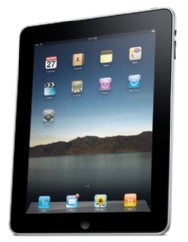
Review - Apple iPad

Yes, I was one of those who pre-ordered the iPad the first day it was available for pre-order, and have been really enjoying it for the past few weeks. There have been a lot of good reviews, and many lists of favorite apps, but I'll share what I like about the iPad, and why I think it's a game-changer.

What is the iPad?

It's like an iPod Touch for senior citizens. An iPhone without the phone, but 4x the screen size. It's a touch-tablet internet-media device that runs the iPhone OS instead of Windows. It's slim, portable, and runs all iPhone apps plus a growing number of applications specifically designed for the larger screen. It has a diverse target audience - seniors looking to do email/Facebook for the first time ever, students, sports fanatics, readers, photographers, and geeks.


Why Would You Want an iPad?

Well, besides being very cool, they have a great variety of applications. There's full iPod functionality for music, it can play videos and movies, stream Netflix movies, show Google Maps, provide access to email, calendar, YouTube, weather including animated doppler maps. It's a super photo frame, a game device, a serious notepad, e-book and Kindle book reader. All those features are free, and there are many more excellent apps that cost from 0.99 to a few dollars. The base model comes with WiFi access, and for about $130 more plus $15 or $30 a month for 3G anywhere access. Compared to the cost of a Kindle, iPod, PDA, GPS and electronic photo frame, it's not a bad deal for $499. (That's the model I got, passing on the 3G option since I do have an iPhone, and going for smaller memory as my music collection isn't huge.)

Why an iPad versus a Laptop?

Most reviews that don't like or don't "get" the iPad describe it in terms of what it can't do - no Flash support, no physical keyboard or CD-ROM player, no MS Office apps, too limited in what software you can run, and locked into what Apple will allow in the iTunes store. I wouldn't call it a full-fledge laptop replacement, though it can serve as the all-you-need device for a short business or recreational trip, especially with optional keyboard and VGA adapter for projector presentations.

What am I using it for, and why do I really like it?

The main reason I got it was actually to demo web applications that I write for my clients and prospective clients at work. (They want to see the state of their huge chemical plant or warehouse on a Gantt chart over the web. I show it to them on an iPad and tell them they can even do this while walking the plant. Their eyes light up/)  I use it to read Kindle books, to check email, to listen to music, to have pictures of my family looping at work, to access my calendar and to-do list, for Bible study, and (more than) once in a while play a game. What's great is that the iPad is instant-on (no boot-up or crashing), is extremely intuitive to use, and I can access it comfortably in my recliner. I think of something I need to look up or jot down, I pick it up, do it in a few seconds, and put it back down. My kids love to play games on it (youngest boy still small enough to sit in my lap while playing). The overall user experience is very satisfying for everything but text-intensive purposes. I still prefer a multimonitor desktop for 'serious' work or writing, and I still love my iPhone which does of this and fits in my pocket. But if I have all of those devices around I find myself reaching for the iPad as my new first choice. I think we're going to see some really amazing apps and media-content systems that make great use of the iPad and touch-capability. 


(Analogy for gamers? XBox is to high-end lap-top as Nintendo Wii is to iPad as Nintendo DS portable is to iPhone. They're all good, best for different things. Our family is a Wii family)


If you have any specific questions, let me know and I'll do my best to answer them!

Thursday, April 8, 2010

Apple iPhone OS 4 event

Today at 1pm Eastern Apple will host an event revealed their next generation of iPhone OS software. Ok, maybe that's not so very newsworthy, but it's a slow news day! Several sites, such as MacWorld will be blogging with live updates about the event. No one knows what they're going to unleash - multasking? more social networking integration? I don't think the news will be as big as the recent iPad launch, but new capabilities are always fun. I hope they don't leave out the original first version iPhone in all this :)  If I can stop playing with it, I'll try to write up an iPad review sometime before long.


(Edit: The preview revealed: Multitasking, folders, enhanced mail (unified inbox),
iBooks, improved enterprise functionality (multiple Exchange accts), Game Kit,
and iAd. Due this summer, not for early iPhone models)

Monday, December 8, 2008

A Couple of Compelling Videos to Share

Two videos really caught my attention today. The first is about a nasty virus (worm actually) that targets Facebook users. You get an email from a Facebook friend along the lines of "I can't believe I saw you in this video!" or "Wow! You look awesome in this picture!" with a link. The web site it leads to says that you need to download the latest version of flash to view the movie. Beware - that link won't install flash but will download the trojan and you won't like the results. In general be cautious about these types of links and "updates". I've gotten such an email linking to the worm, so be careful! For info see the story on CNN: CNN video clip on the Koobworm.

The second video that I thought was neat was Brian "Head" Welch, former member of the band Korn, telling his story about what turned his life around. It's from a series by Granger called "I Am Second." Check it out below...

Tuesday, July 15, 2008

Dancing Corn Starch?

Interesting story crossed my reader this week. Some interesting demonstrations involving highly non-Newtonian fluids/suspensions. In other words... what happens if you mix corn starch and water and pour it on a subwoofer?? Well, it dances of course. A new way to walk on water? Don't take my word for it - go and see the video clips.

Could this kind of thing be the new Diet Coke and Methos? Probably not...

Monday, June 30, 2008

Twitter Success Story

This weekend Pastor Chuck mentioned Twitter in his sermon on Communications. In this he stressed the need to be speaking the truth, speaking it in love, and in forming friendships and relationships in which this can happen authentically. (He also mentioned my recent blog on The Evolution of Communication, which mentioned Twitter :)

Twitter describes itself as "a service for friends, family, and co-workers to communicate and stay connected through the exchange of quick, frequent answers to one simple question: 'What are you doing?'" Basically, you broadcast short messages (140 characters or less) which can be seen by your friends, or really by anyone who cares to follow your Tweets (your messages). Pastors and Ministry Leaders are starting to use it more and more to keep their people in the loop, to share prayer requests, and just to be more accessible. You can view these Tweets online, or even have a text message sent to your phone when a given individual twitters. Tweets can be sent via computer, Instant Messaging, or via your cell phone. Just so I'm not behind my pastor on the technology curve (how embarrassing would that be?) I signed up for twitter today (ltbaxter). For more info, see "17 Ways to Use Twitter".

One really cool story about Twitter was one I read just this week by a blogger I read - 'The Day Jesus Saved My Twitter'. Carlos is a pastor, musician, blogger, and Service Programming Director at Buckhead Church in Atlanta, GA. His friends and many random people and blog readers follow his tweets at http://twitter.com/loswhit. Well, last week Carlos missed a flight at the Dallas airport and was told he would have to sleep at the airport. Exhausted and frustrated, he twittered about his problem. Within 2 minutes he had 7 emails, 3 phone calls, and a bunch of tweets. Before long, someone came by and with a big smile handed him a room key to the Hyatt next door. Wow! Is that using technology to connect and see God minister or what?! Your mileage may vary if you get stranded in a random city and use Twitter, but you never know...

Friday, June 27, 2008

Giving Facebook a Chance

Last week I decided to give Facebook a try. For those more in the dark than I, it's a social networking portal originally designed to help college students keep in touch, but which has skyrocketed in popularity. I had heard about it quite a while ago, but wasn't really able to wrap my head around what it was, or what it might be useful for. After hearing more positive comments about it, I had a friend demo it for me, and thought it was a good time to jump in. So far... it's been great! Now I'm seeing just how common it is. Just today I saw a post from a blogging Pastor, Mark Batterson in Washington DC, saying he was jumping into Facebook. Even Pastor Chuck is using it, and we're seeing some quiet people in the congregation get better connected through Facebook. (It's kind of scary to see how my wife is getting into it... she joined the day after I did :)

Why Facebook?
  • You learn a lot about what's going on in your friends and family
  • You get to see as many (or as few) photos of friends as you like
  • You can better understand your teenage child's world
  • You can control who gets to see what information, share as much
    or as little about yourself as you feel comfortable with
  • You can ask a hundred or so people if they want to go see a
    movie this weekend without sending out a spam email
  • Get back in touch with friends from high school or college
  • It's a great way to share things you find on the web (or your blog)
    with those friends of yours that are more social and less techie
  • It's a fun way to better connect, build relationships and make new friends

So what other reasons do you need? Give Facebook a try.

Saturday, June 21, 2008

The Evolution of Communication

A friend asked recently about Twitter, which is not the easiest thing to explain. As I thought about this, it struck me as pushing out the end of what is a spectrum of communication media. In modern times the ability for an individual to communicate, across great distances, and with ever increasing speed, has allowed for a number of new forms of communication to emerge. Consider the following diagram (click to enlarge), which shows the evolution of one-to-one communication methods (from snail mail to email and text messaging) as well as one-to-many methods (journals to blogs and now to twitter). As the speed of communication changed, the formality has almost universally decreased. But one interesting feature is that the potential audience has changed. Blogs, for example, are often read by a small number of friends and family members, yet they are open to the public, and can be found by people you never would expect to find them. Overall, this has led to an increase in transparency, a personality aspect that has become quite highly valued. What's the point? Twitter is yet one more extension of the ability to communicate with others, no less valid than a research journal. It's another tool in our communication toolbox, and one whose value lies more with the desires of potential readers than with the content of the message itself.


Thursday, May 22, 2008

Whiteboard brings the heat

Quite a week for conferences. First the Purpose Driven Network Summit and today, a powerful conference called "Whiteboard" - One Day. Eight Influential Leaders. Thirty minutes each. That was going on in Reston, Virginia but several talks and interviews were streamed lived on the web via ConferenceChannel.Org. Vince Antonucci, Mark Batterson, John Burke, Mark Dever, Perry Noble, Darrin Patrick, Ed Stetzer, Tim Stevens.

I caught part of the talk by Vince Antonucci, author of "I Became a Christian and All I Got was this Lousy T-Shirt". His story of coming to Christ was amazing. Mark Dever (interviewed by Ed Stetzer, also SBC) had the most contrasting view on several subjects, but the diversity of viewpoints was quite interesting, and all had excellent points to make out of what they're passionate about - for example Tim Stevens on Leveraging Pop Culture to reach people for Christ ('Pop Goes the Church' which I reviewed recently).

Tony Morgan has posted some excellent notes from Whiteboard. (edit: also some very good comments from Perry Noble)
Check out the Whiteboard website if you want to watch any of the video clips.

Tuesday, May 20, 2008

Purpose Driven Network Summit 2008

Today through Thursday, Rick Warren of Saddleback Church will be gathering 35 pastors to share some powerful messages on best practices for ministry today. It's the Purpose Driven Network Summit 2008 - a rare invitation only conference for about 1500 ministry leaders and pastors. Bloggers and blog-readers were in for a treat as Rick invited DJ Chuang, Carlos Whittaker, Josh Griffin, and Tony Morgan to webcast/blog the event. The webcast and intereviews were hosted at UStream. I'm glad that I saw Tony's blog about this and that Rick's opening message was lunch time for us on the East Coast!

Saddleback was able to share Rick's opening message and first session as streaming video over the internet. It was quite an excellent message from the heart, as Rick poured out his desire to help pastors run a strong race and avoid discouragement. I took a lot of notes to share but found some really excellent notes/thoughts from Perry Noble (one of the attenders/speakers) as well as Dave Ferguson at his blog Velocity. Both Perry and Dave followed up with equally good notes on the next session.

Some assorted nuggets that caught my attention...

- A while back Rick asked God what did He want him to do next. The answer: "Shut up!" "Listen!" John 3:30 He has not taught a conference in the past two years, but has been listening: a lot. Talking to a lot of pastors. Trying out some amazing ministry experiments. We'll hear soon about some big upcoming news on his P.E.A.C.E. initiative to battle some major social and spiritual evils in the world.

- Rick reminds us that Purpose Driven is a framework and an informal network, not a church, not an asoociation.It's a coat hanger with five hooks. Pick what you put on each, he's not into programs, but simply that you need balance to have health, and that your church and ministry focus on the Great Commandment and the Great Commission. There are many such networks, but they tend to be silos - don't communicate, dont' cooperate. That's something he would like to start addressing, via a 'PEACE coalition.' -- Promote reconciliation, Equip servant leaders, Assist the poor, Care for the Sick, Educate the Next Generation.

The main part of his talk discussed how renewal has occurred through history, following five steps:
  1. Personal renewal
  2. Relational renewal
  3. Missional renewal
  4. Cultural renewal
  5. Structural renewal
There's also a sixth at a higher level, institutional renewal. Institutions never institute, rather they preserve the change of the previous generation. Growth is always on the new limbs, institutions are the trunk, which provides stability.

I liked what he shared for several 'telltale signs' of these aspects of renewal.
- With personal renewal, the singing gets better :)
- With relational renewal, people hang-out longer after church is over.
- With missional renewal, the church starts to get a clue, we're here for a purpose beyond ourselves. Also, when these three line up, you can't stop a church from growing.
- The next stage, structural renewal, is a reflection that you can't but new wine in old wineskins. He stressed there is no perfect structure, which is why structure is never really discussed in the bible.

See the other blogs for info on staying strong in minsitry, but a takeaway suggestion I really liked was:
"Divert daily. Withdraw weekly. Abandon annually."

Thursday, February 22, 2007

How to Not Drown while Surfing the Net

Most folks who surf the net for a while find many interesting sites that they bookmark and return to frequently to see if there's any new information. At some point the time it takes to do this requires you to give up eating, productive work, or bathing?! Wouldn't it be nice if you had a way to immediately see what was new, on all the sites you're interested in, in one screen? This is not only possible, it's easy!

RSS - Really Simple Syndication - is a popular feature of web sites and blogs that readers can use to easily find out when new material is available. How can you use this to follow this blog or other sites that use RSS? Here are some options:

1. If you already use an RSS reader, add this as a new feed:
http://feeds.feedburner.com/StepUpToTheCall

2. If you don't have an RSS reader yet, click on the orange icon and
Subscribe by RSS. This will take you to the feedburner page where you can choose from a variety of web based newsreaders. I would recommend Bloglines. If you're a big fan of Yahoo, the MyYahoo option is very good. Likewise if you already have a Google account or use gmail, Google Reader is excellent (that way you don't need to sign up for any new accounts). Or... the most recent versions of Firefox, Internet Explorer and Vista let you use RSS feeds (aka Live Bookmarks) directly.

3. Just want to get new posts via email? No problem! Click here to subscribe via email - this will take you to a form where you enter your email address. You'll get a confirmation email - so be sure to click on the link that it sends you in the email to activate the email subscription. Unsubscribing is extremely easy, so go ahead and give it a try!

I'll give you some of my favorite blogs for Christian leaders soon so you'll have other feeds to read with RSS. (Or get a head start now with Leading Smart by Pastor Tim Stevens which reminded me recently that it would be a good idea on this blog to let people know how to subscribe.) For more detailed info on RSS and options to make use of it, see Getting Started with RSS by Paul Stamatiou.